
Facebook, last year released that tells you where your friend’s location is. Recently, Facebook is letting you . But did you know that all your activities, use of apps and everything else are archived by them. Even the items that you have deleted are also archived. Would you like to get a copy of that back? Here we will show you how to do that and a few other things-like how to donate to a charity organization, save interesting feed for reading later. Things that you did not know you can do on Facebook or via it.
Donating To Nonprofit Organizations
Do you know that you can ? So far the list of organization is very small. Only 19 organizations account for the donation. A few names in this list include American Cancer Society, World Wildlife Fund, Malaria No More American Red Cross and . To make contributions, simply go to their page, click on More located right below the cover photo and choose Donate Now.
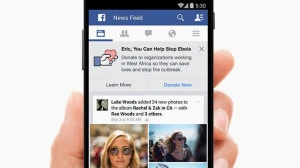
image credit: http://www.hongkiat.com/
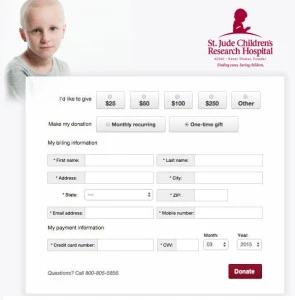
Enter the amount of donation and the payment information. You can also choose between a onetime donation and a recurring donation, and then click Donate. 100 percent of your donations will go the nonprofit organization of your choice.
Retrieving Deleted Content
There are times when you have wanted to retrieve certain information that you have accidentally deleted off Facebook? Well you can actually. All you have to do is go to and click the download a copy of your Facebook data link. Click Start My Archive and enter Facebook password when asked. Select the Submit button next. A prompt box will appear that will need clicking. The box would say Start My Archive. Click on it again. Now wait for Facebook working on your data a few minutes. An email will be sent to you with the download link. Before you download, you would again have to put in your password in the prompt box for security.
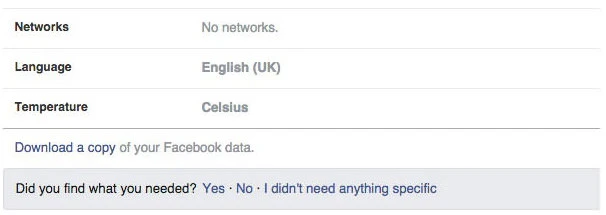
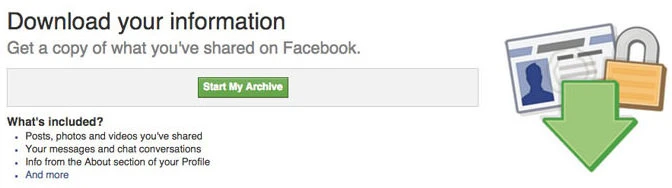
image credit: http://www.hongkiat.com/
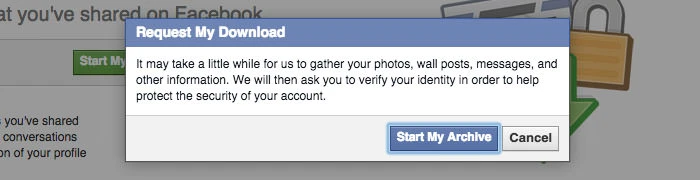
image credit: http://www.hongkiat.com/
Reading Later but Saving Now
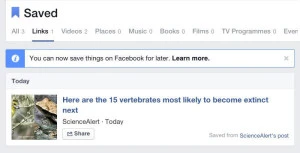
Every time the Facebook page is opened, you will notice a lot of news in your timeline. While you would find most of them interesting, yet you would not have the time to read them all. Even it can be that once you passed them, it becomes really hard for you to find them again (not if they are heavily shared). Here, you can use the Save option. This option can be found in the list option made under the dropdown button. You can save items like places, links, TV, music, movies and many things more to checkout later. All the saved items will be listed as Saved. This can be accessed from the left sidebar of the news feed area.
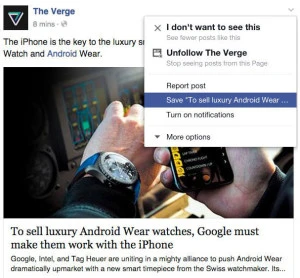
image credit: http://www.hongkiat.com/
Syncing Facebook Calendar with Google Calendar
If you maintain a Google Calendar for all your reminders of important events and meetings then you can easily schedule all important events of facebook with Google. To do that, go to and you would find several events there. Then look at the bottom right corner, and you would find links Upcoming Events and Birthdays. Right click on either one of them and select “Copy Link Location” or “Copy Link Address”. Now go to your Google Calendar and on the left hand side of the page, there is Other Calendars option. Click on the dropdown arrow button. Select Add by URL. Paste the link that you have copied earlier from Facebook and then click Add Calendar. After the process is completed, you would be able to see the imported events on Google.
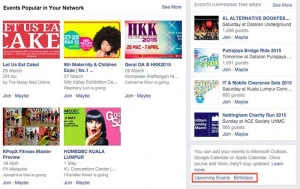
image credit: http://www.hongkiat.com/
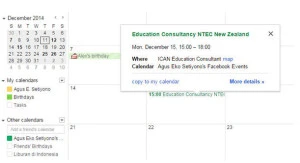
image credit: http://www.hongkiat.com/
Converting Your Profile in Facebook into a Page
Another important fact we are sure you were unaware about was that you can convert your Facebook profile into a fan page. All your friends and followers can stay this way and you do not have to start from scratch. All you have to do is go to . Choose a category for your Page. Next select a subcategory and fill and the required information. Finally, click on Get Started and follow all the instructions that are provided. It is better to note here that this conversion is permanent. It is better to download a copy before you start with the migration process.

image credit: http://www.hongkiat.com/